The best free clipboard managers for Mac in 2026
Maccy, Flycut, Raycast, the macOS Tahoe Spotlight clipboard, CopyQ, Clipy and Jumpcut compared: what each free clipboard manager does well, what it lacks, and who it's for.
Every Mac clipboard manager list is written by someone selling one, and this one is no exception: I build ClipBook, which is a paid app. So I’ll make you a deal. This post is about the free ones, I won’t pretend any of them is worse than it is, and ClipBook only shows up at the end, for the case where free stops being enough.
I looked at seven free options: Maccy, the macOS Tahoe Spotlight clipboard, Raycast, Clipy, CopyQ, Flycut and Jumpcut. All facts, prices and release dates were checked in November 2026 against each app’s website, Mac App Store listing and GitHub releases.
Quick picks
- Best free clipboard manager overall: Maccy. Open source, tiny, updated in October 2026, and it does text, images, files, pins and text recognition.
- If you don’t want to install anything: the macOS Tahoe clipboard. Built into macOS 26 and later. Fine for “what did I copy an hour ago”, not for keeping things.
- If you already use Raycast: Raycast Clipboard History. Polished and free, with up to 3 months of history.
- For saved snippets: Clipy. Back in active development in 2026 after eight quiet years.
- For power users and Linux or Windows users: CopyQ. Tabs, scripting, a command line, and it runs everywhere.
- For the simplest possible text history: Flycut or Jumpcut. Plain text only, mostly unchanged for years.
Comparison table
| App | Price | Images & files | Search | Pins / favorites | OCR | Multi‑paste | History limit | Updated |
|---|---|---|---|---|---|---|---|---|
| Maccy | Free* | Yes | Yes | Yes | Yes | No | 999 items | Oct 2026 |
| macOS Tahoe | Built in | Images only | Yes | No | No | No | 7 days max | With macOS |
| Raycast | Free plan | Yes | Yes | Yes | Yes | No | 3 months | Frequent |
| Clipy | Free | Yes | No | Snippets | No | No | 30 items† | Oct 2026 |
| CopyQ | Free | Yes | Yes | Yes | No | Partly | 200 per tab† | Oct 2026 |
| Flycut | Free | No | Yes | Yes | No | No | Fixed size† | Dec 2020 |
| Jumpcut | Free | No | No | No | No | No | Fixed size† | Dec 2023 |
OCR means you can search for text inside copied images. Multi-paste means selecting several items and pasting them in one go. Updated is the date of the latest public release. * Maccy is free from its website and Homebrew; the Mac App Store version costs $9.99. † The default; you can change it in settings.
Maccy
Maccy is the default answer to “free clipboard manager for Mac”, and it earns it. Press ⇧⌘C, start typing, press ↵, and the item is pasted. It keeps text, rich text, images and files, searches with fuzzy or regex matching, recognizes text in copied images, and lets you pin items to a letter key so they’re always one keystroke away. It’s open source under the MIT license, about 3 MB, and very much alive: version 2.8.0 shipped in October 2026 with VoiceOver support, drag-to-reorder pins and better text recognition.
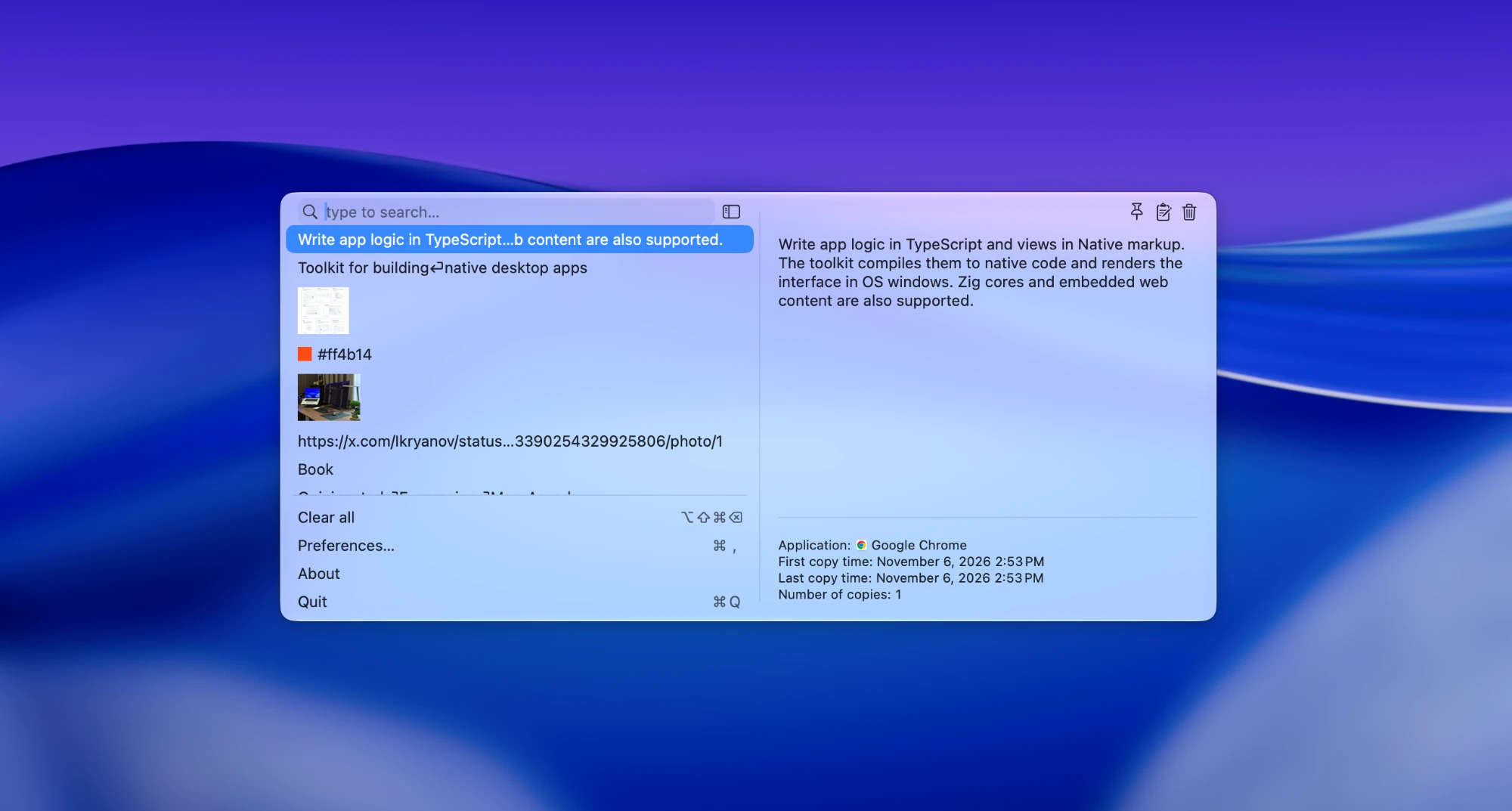
What it lacks: history stops at 999 items (200 by default), so anything older quietly disappears. There are no tags or folders, you can’t select several items and paste them together, and you can’t edit an item unless it’s pinned. It needs macOS 14 Sonoma or later.
The app is free from the website, GitHub and Homebrew (brew install –cask maccy). The $9.99 Mac App Store version is the same app; buying it is a way to support the developer.
Best for: almost anyone who wants a fast, private, keyboard-first history and doesn’t need to keep years of it.
macOS Tahoe Spotlight clipboard
Since macOS 26 Tahoe, your Mac has a clipboard history of its own. Press ⌘Space, then ⌘4, and Spotlight lists what you copied recently. There’s nothing to install, nothing to trust beyond Apple, and copies from Apple’s Passwords app are left out automatically.
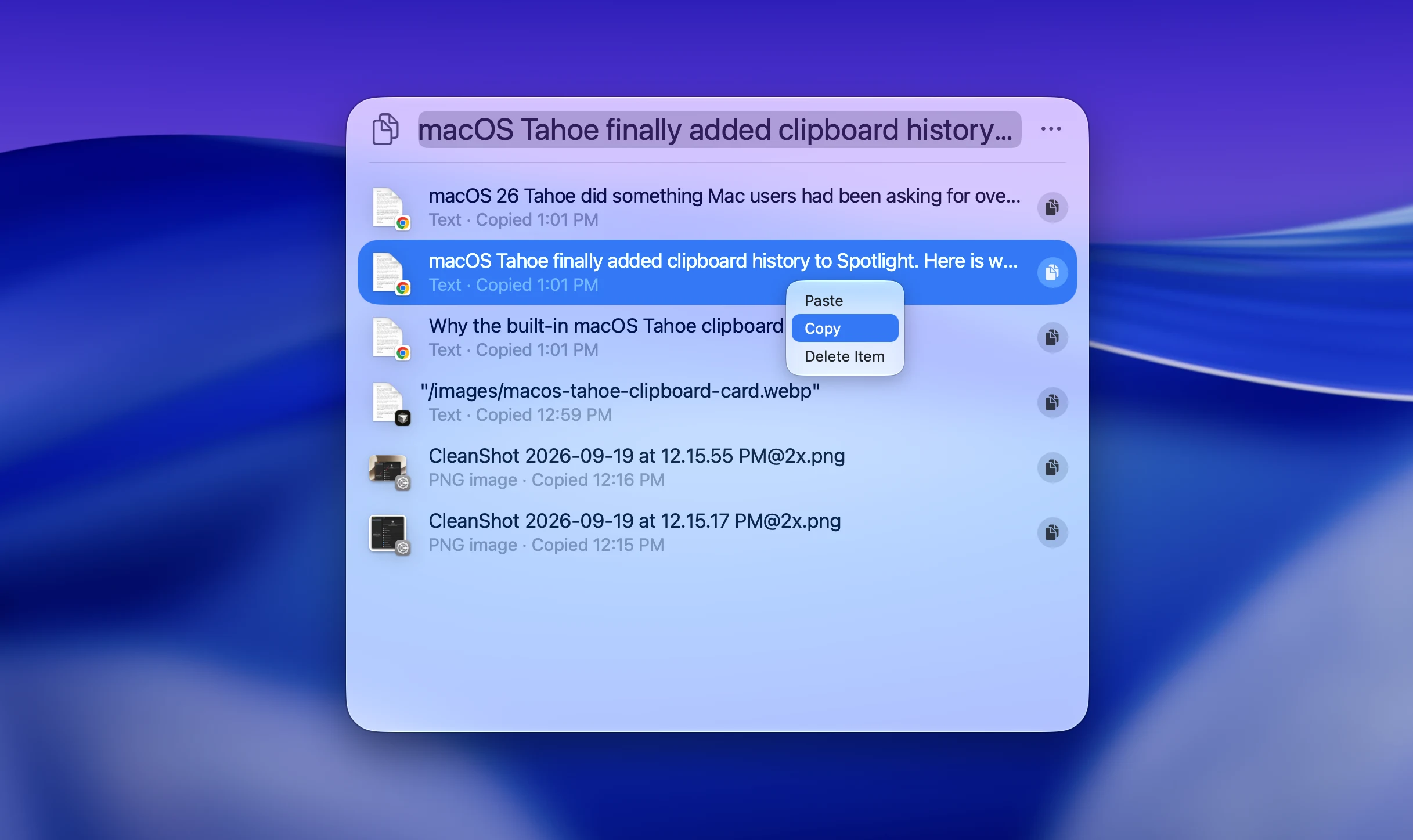
What it lacks: it’s off until you turn it on the first time you open it. Items expire after 30 minutes, 8 hours (the default) or 7 days, set in System Settings → Spotlight, and there’s no way to pin one so it survives. It keeps plain text and images, so formatting and files are lost. Copies longer than about 16,000 characters and items from your iPhone aren’t recorded, there’s no text recognition in images, and you have to go through Spotlight every time, because there’s no dedicated shortcut. I wrote about these limits in detail in macOS Tahoe clipboard history: why it’s not enough.
Best for: people who copy a few things a day and only need to get back something from earlier today.
Raycast Clipboard History
Raycast is a Spotlight replacement, and Clipboard History is one of its built-in commands. It’s the most polished free option here: a big preview pane, filters by type, pinned items, text recognition in images, link previews, and it handles text, images, files and colors. You can give it its own hotkey, and the history stays on your Mac.
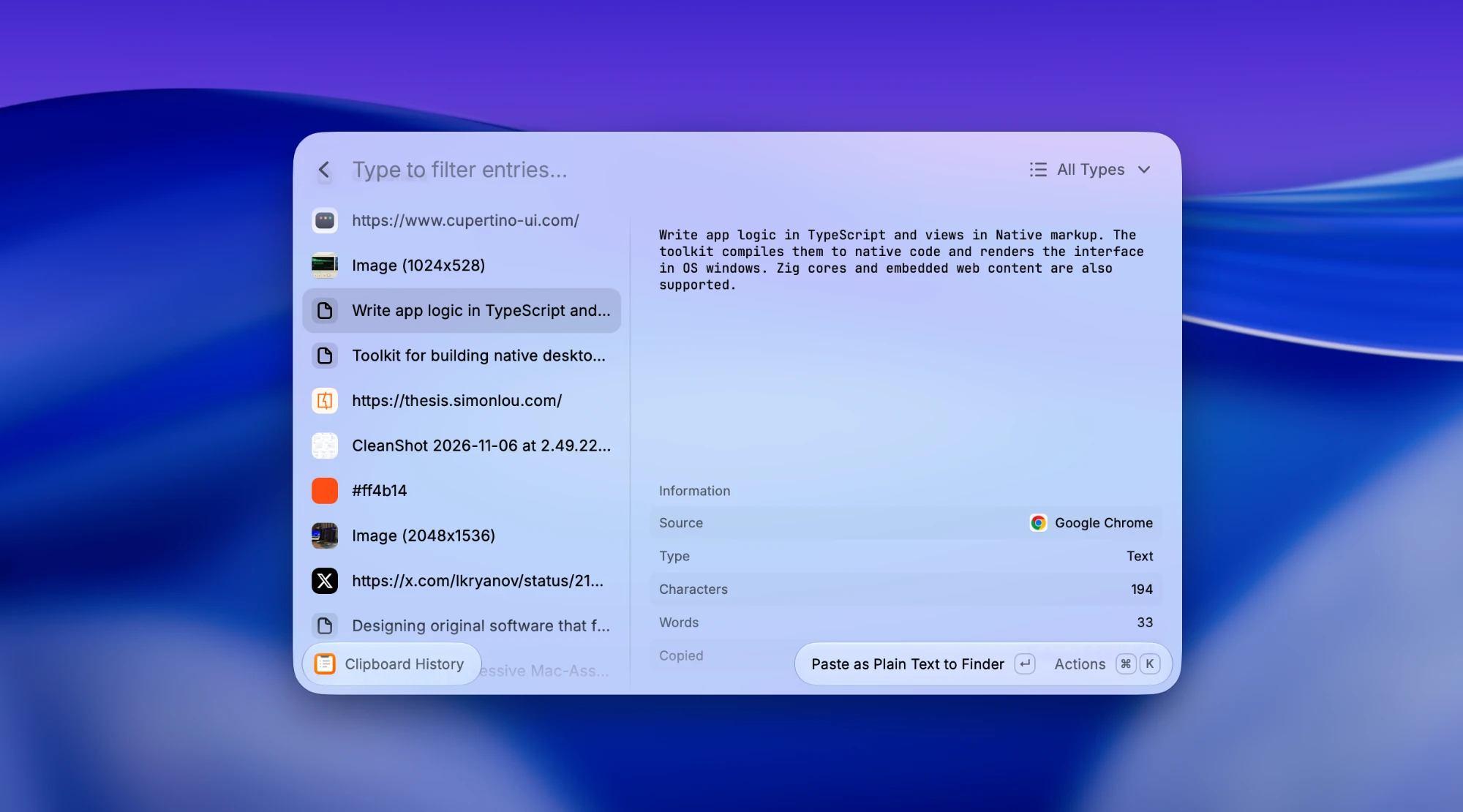
What it lacks: on the free plan, history is kept for 3 months at most; unlimited history is part of Raycast Pro, at $96 a year. There’s no multi-paste, no tags, and no hiding passwords or the window during screen sharing. And it comes as part of a whole launcher. If you don’t want Raycast to replace Spotlight, that’s a lot of app for a clipboard history.
Best for: people who already use Raycast, or who want a launcher and a clipboard history in one app.
Clipy
Clipy is a classic. It shows your history as a menu, either from the menu bar or at the mouse pointer with ⇧⌘V, and its real strength is snippets: folders of saved text you paste from a separate shortcut. It keeps text, rich text, images and files, can ignore specific apps, and is open source under the MIT license.
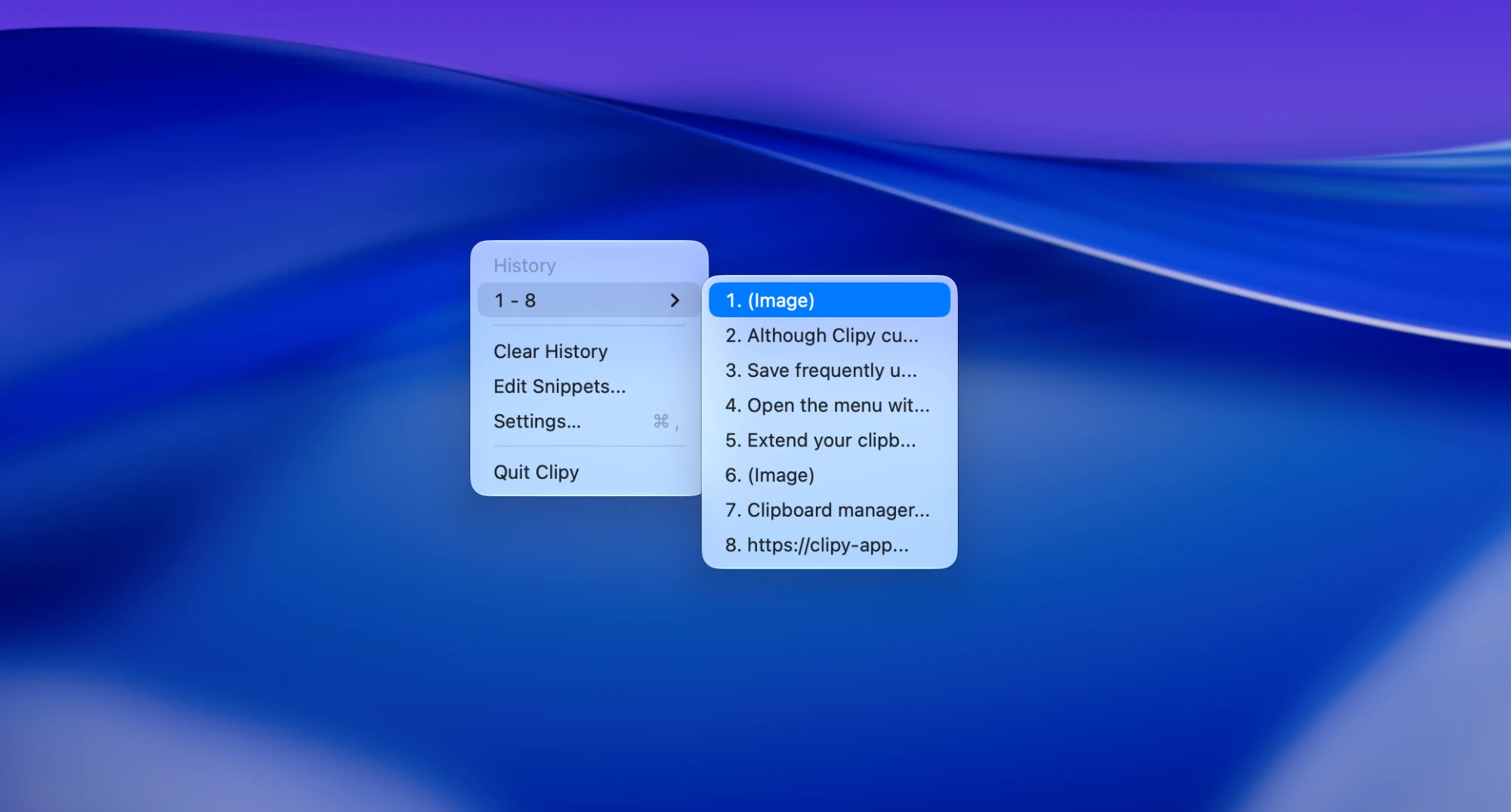
For years it looked abandoned, with no release for about eight years. That changed in June 2026: version 1.3.0 added native Apple Silicon support, and 1.4.0 and 1.4.1 followed in October with redesigned settings. If you used Clipy years ago, it’s worth another look.
What it lacks: there’s no search. You pick items from a menu, which gets slow once the history grows. It keeps 30 items by default, has no OCR or multi-paste yet, and the next version will require macOS 14 Sonoma.
Best for: people who paste the same blocks of text every day and like a simple menu.
CopyQ
CopyQ is the power tool. It organizes your history into tabs, lets you pin, tag, edit and annotate items, and can be automated with scripts, custom commands and a full command-line interface. It keeps text, HTML and images, keeps 200 items per tab by default (up to 100,000), and you can select several items to copy them as one. It’s open source under GPL-3.0 and runs on macOS, Windows and Linux, so it’s the obvious choice if you switch between them. Version 17.0.0 came out in October 2026.
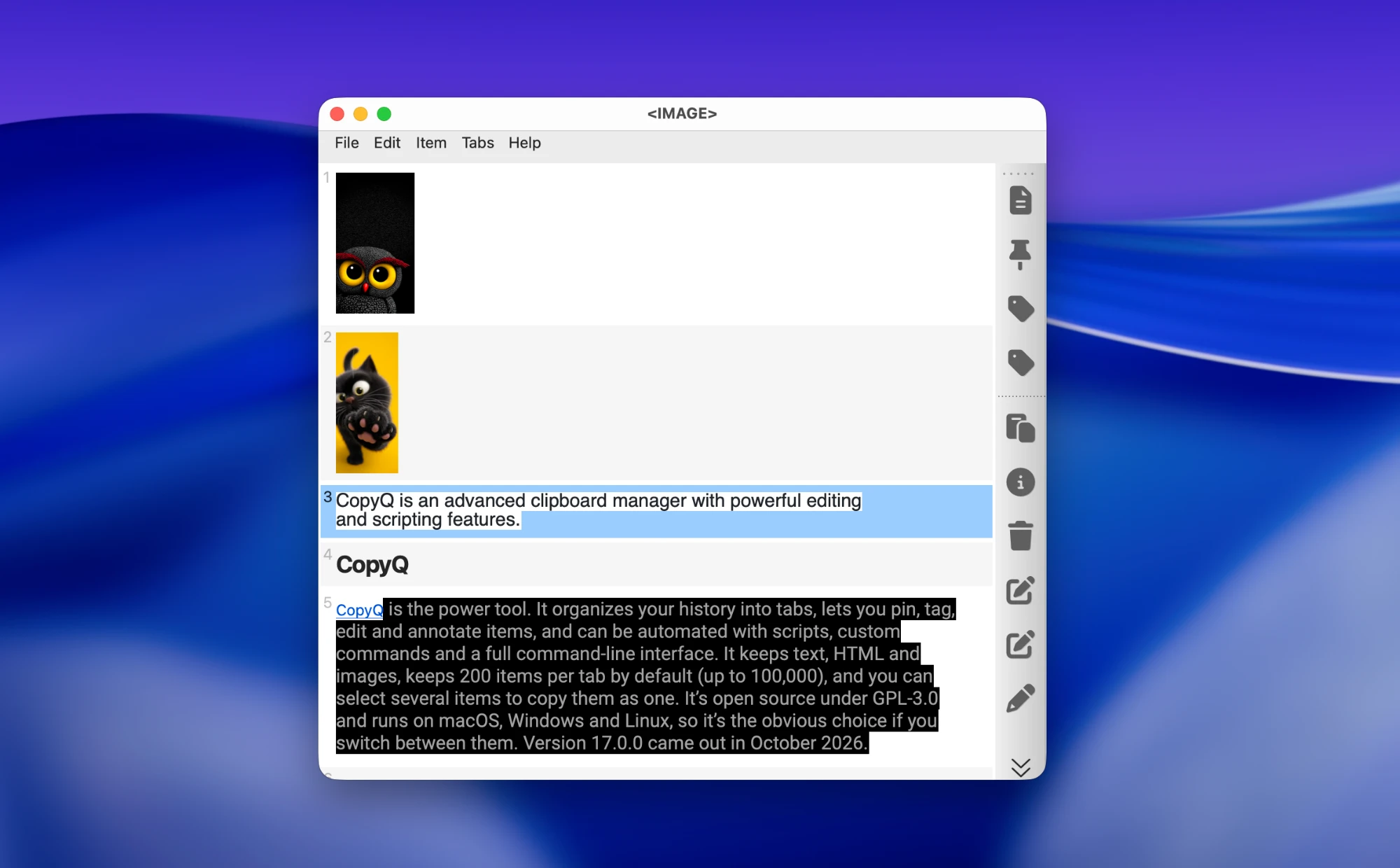
What it lacks: polish on the Mac. It’s a cross-platform Qt app and looks like one. The macOS builds aren’t notarized, so macOS warns you when you open it, and Homebrew disabled its cask in September 2026 for that reason. You install the DMG from GitHub and allow it in System Settings → Privacy & Security. There’s no text recognition in images, and the number of settings can be overwhelming.
Best for: developers and tinkerers who want to script their clipboard, or anyone who needs the same tool on Mac, Windows and Linux.
Flycut
Flycut is a minimal, developer-favorite clipboard manager built on Jumpcut. Press ⇧⌘V and a dark overlay appears in the middle of the screen; keep pressing V or the arrow keys to cycle through recent clippings, and release to paste. It has a searchable menu-bar list, a separate favorites list, can skip password fields, and can sync through iCloud. It’s free in the Mac App Store and on GitHub, and open source under the MIT license.
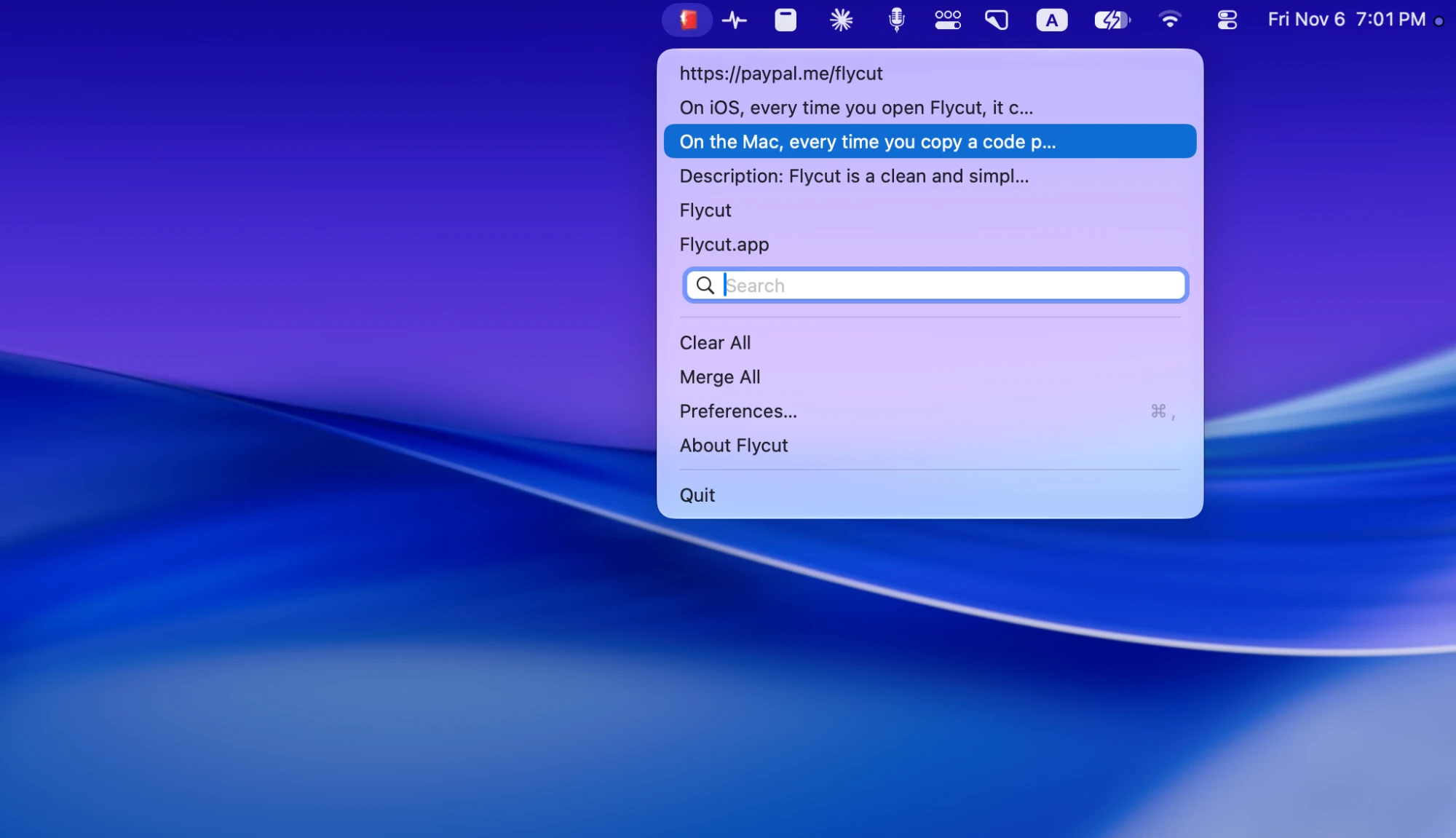
What it lacks: it’s plain text only, so images, files and formatting are ignored. The last release, 1.9.6, came out in December 2020. The code still receives occasional fixes, but they haven’t been released, so you’re relying on a five-year-old build.
Best for: people who copy text and code all day and want something with almost no interface.
Jumpcut
Jumpcut is the original that Flycut was forked from, and it’s even simpler. It keeps a stack of recent text clippings, and you cycle through them in a pop-up bezel with ⌃⌥V, much like switching apps with ⌘Tab. It’s tiny, open source under the MIT license, and installs with brew install –cask jumpcut.
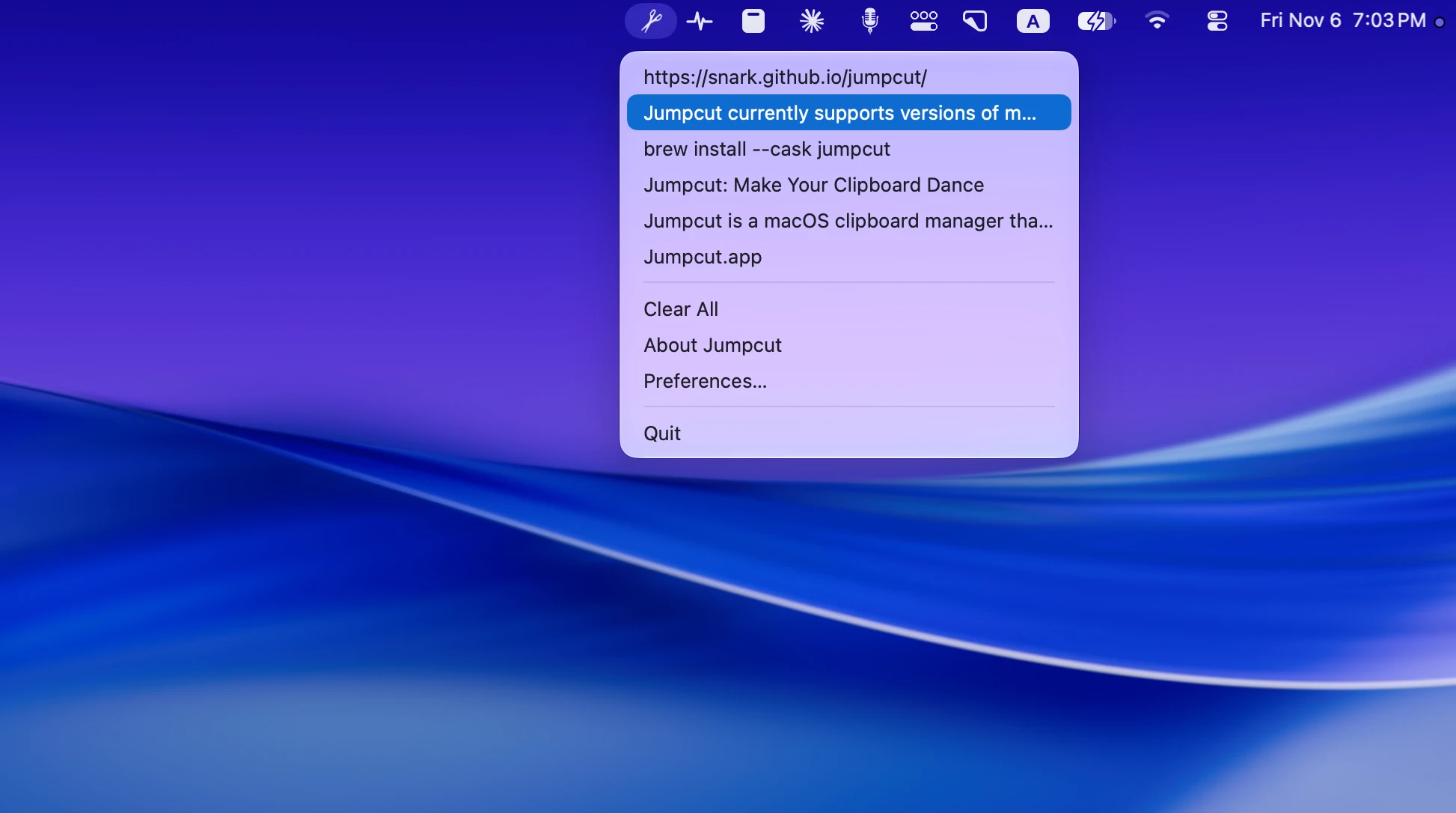
What it lacks: nearly everything else. Text only, no search, no favorites, and the last release, 0.84, came out in December 2023.
Best for: people who only want the last dozen things they copied and nothing more.
Is a free clipboard manager safe?
A clipboard manager sees everything you copy: passwords, bank details, private messages, API keys. That’s true of free and paid apps alike, so whichever you choose, check three things:
- Can you see the code or trust the distributor? Maccy, Clipy, CopyQ, Flycut and Jumpcut are open source. Maccy and Flycut are also in the Mac App Store, where Apple reviews each build.
- Does the history stay on your Mac? All seven options above keep it locally by default. Flycut’s iCloud sync is opt-in.
- Does it skip passwords? Turn on the option to ignore passwords and concealed content, and add your password manager and banking apps to the ignore list if the app has one.
Every clipboard manager on this list needs Accessibility permission to paste into other apps. That’s normal: macOS requires it for any app that sends a ⌘V keystroke on your behalf.
When a free clipboard manager isn’t enough
The free apps cover the basics well. People usually move on when they hit one of these walls:
- The history runs out. Maccy stops at 999 items, Raycast’s free plan at 3 months, the Tahoe clipboard at 7 days. If you’ve ever gone looking for something you copied last spring, you know the feeling.
- You paste the same things in batches. Copying five fields from one form to another, one at a time, gets old.
- You want to organize, not just recall. Tags, favorites, filters by app or type.
- You share your screen. A clipboard history full of private copies is the last thing you want on a call.
That’s where I’d suggest ClipBook. It isn’t free: it’s $9.99, once, with no subscription and free updates for life, and lower local prices in India, Vietnam, Indonesia, Turkey and Ukraine. You can try every feature for 5 days without a credit card or an account, and there’s a 14-day money-back guarantee.
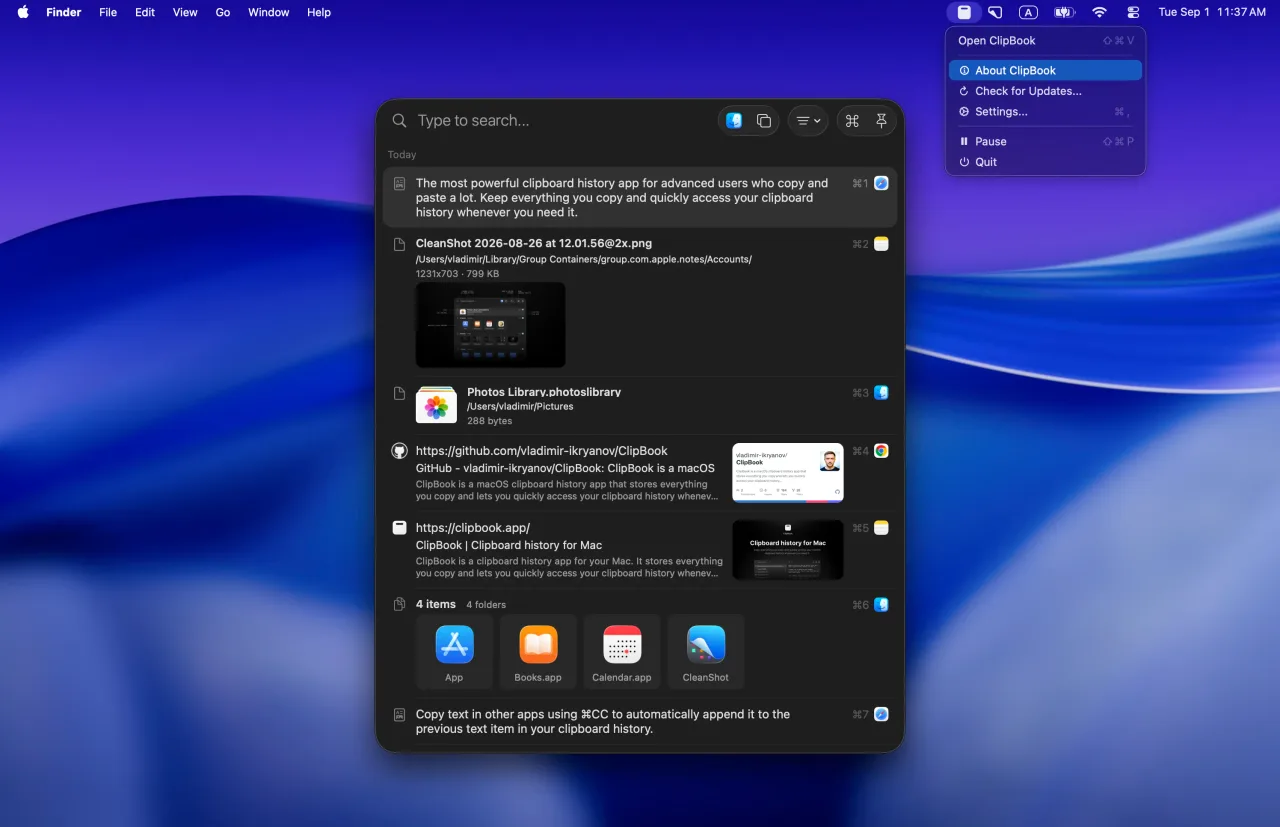
Here’s what you get over the free apps:
- Unlimited history, kept on your Mac only, with a separate retention period for each type of content.
- Multi-paste and paste in sequence: select several items and paste them together with a separator, or paste them one after another.
- Tags, favorites and filters by type and source app.
- Search inside images (OCR) and copy text from QR codes.
- 78 text transformations, editing and merging items.
- Hide passwords and secrets and hide the window during screen sharing.
- A Trash for deleted items, so a mistake isn’t permanent.
It’s open source too, runs on macOS 13 Ventura and later, and installs with brew install –cask clipbook.
If you’re coming from one of the apps above, these comparisons go feature by feature:
FAQ
Does macOS have a built-in clipboard manager?
Since macOS 26 Tahoe, yes, a basic one. Spotlight has a Clipboard section that you open with ⌘Space and then ⌘4. It’s off until you turn it on, keeps plain text and images for 30 minutes, 8 hours or 7 days, and has no pins, no OCR and no way to keep an item longer. macOS 15 Sequoia and earlier keep only the last item you copied.
What is the best free clipboard manager for Mac?
For most people, Maccy. It’s free, open source, small, actively maintained, and handles text, images and files, with search, pinned items and text recognition in images. If you’re on macOS Tahoe or later and only need to get back something you copied today, the built-in Spotlight clipboard history may be enough. If you already use Raycast, its free clipboard history is a strong choice.
Is Maccy safe?
Maccy is open source under the MIT license, so anyone can read its code, and it keeps your clipboard history only on your Mac. It’s also sold on the Mac App Store, which means Apple reviewed that build. Like every clipboard manager, it sees everything you copy, so turn on its options to ignore passwords and specific apps.
Is Raycast clipboard history free?
Yes. Clipboard History is part of Raycast’s free plan, with history kept for up to 3 months. Unlimited history requires Raycast Pro, which costs $96 a year.
Is Flycut still maintained?
Barely. The last Flycut release, 1.9.6, came out in December 2020, both on GitHub and in the Mac App Store. The repository still gets occasional fixes, but they haven’t been released. Flycut still works on current macOS, but it stores plain text only.
Are free clipboard managers safe to use?
A clipboard manager reads everything you copy, including passwords and private messages, so pick one you can trust. Prefer open-source apps or apps from the Mac App Store, check that the history stays on your Mac, and turn on the setting that skips passwords copied from password managers.
Sources
- Maccy: website, GitHub releases, Mac App Store
- Apple, Search your Clipboard history in Spotlight on Mac
- Raycast, Clipboard History manual and pricing
- Clipy: GitHub releases
- CopyQ: GitHub releases, Homebrew cask
- Flycut: GitHub, Mac App Store
- Jumpcut: website