ClipBook 2.0
I'm glad to announce the release of ClipBook 2. This is a new spin in the history of the most powerful Mac clipboard history app for advanced users who copy and paste a lot.
After several months of hard work, I’m so excited to share ClipBook 2 with you 🥰.
ClipBook 2 was completely rewritten from scratch using Swift and SwiftUI. Now it’s completely macOS-native, light, and fast. It’s more stable. It uses less RAM and CPU. The battery usage is also much lower. At the same time, I keep all the features you know and love from ClipBook 1.
The UI has been redesigned to be more native and more efficient. I implemented the ideas and solutions I have been thinking about for a long time. It might take some time to get used to it, but I think you’ll like it.
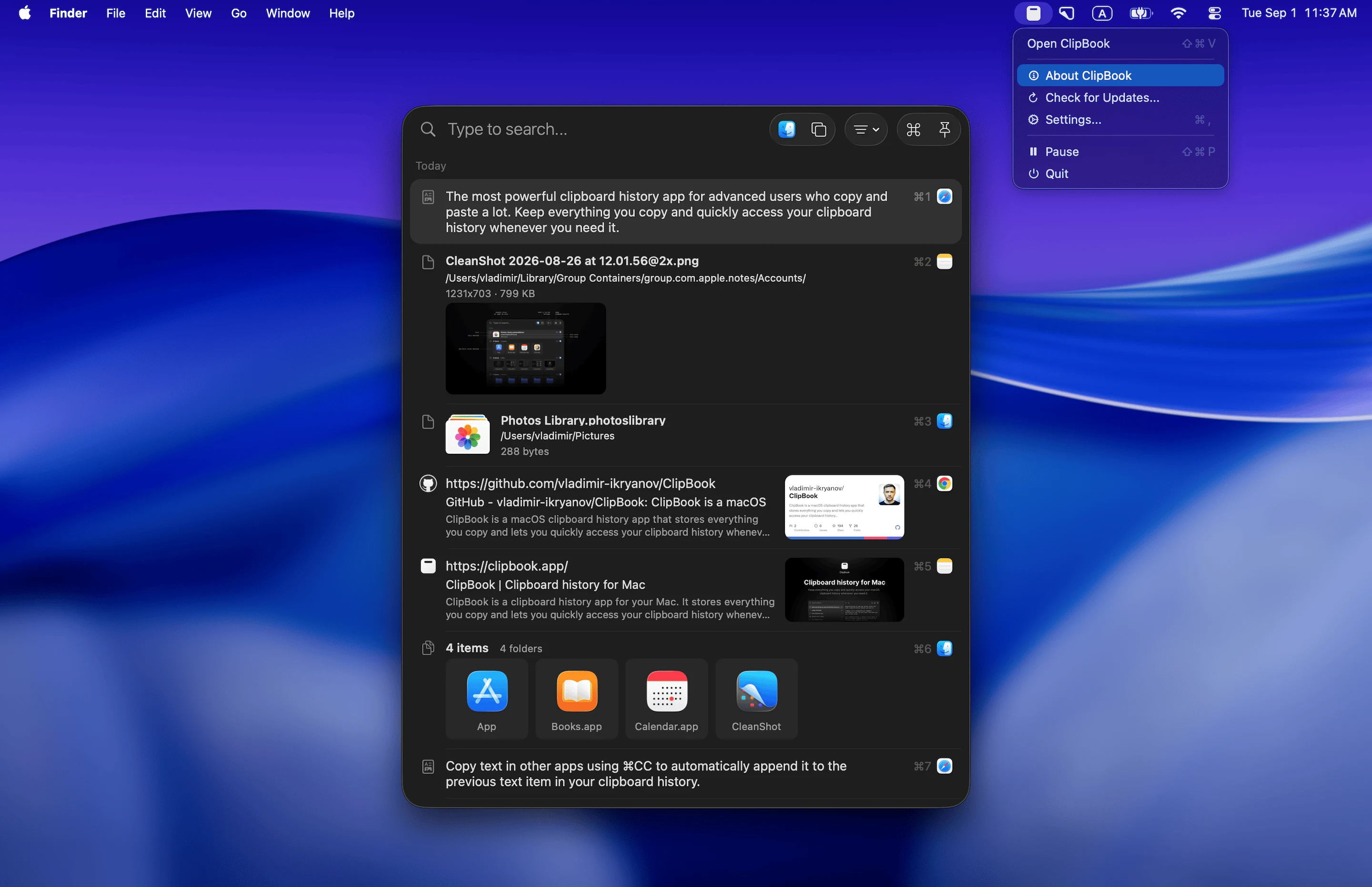
ClipBook 2 is still keyboard-centric, so almost all actions can be performed using the keyboard. At the same time, it’s very friendly to the users who prefer to use the mouse or trackpad.
Free upgrade
If you already have a license for ClipBook 1, this is a free upgrade for you. ClipBook 2 will detect if you have ClipBook 1 installed, find your license, and apply it to ClipBook 2 automatically.
How to upgrade from ClipBook 1 to ClipBook 2?
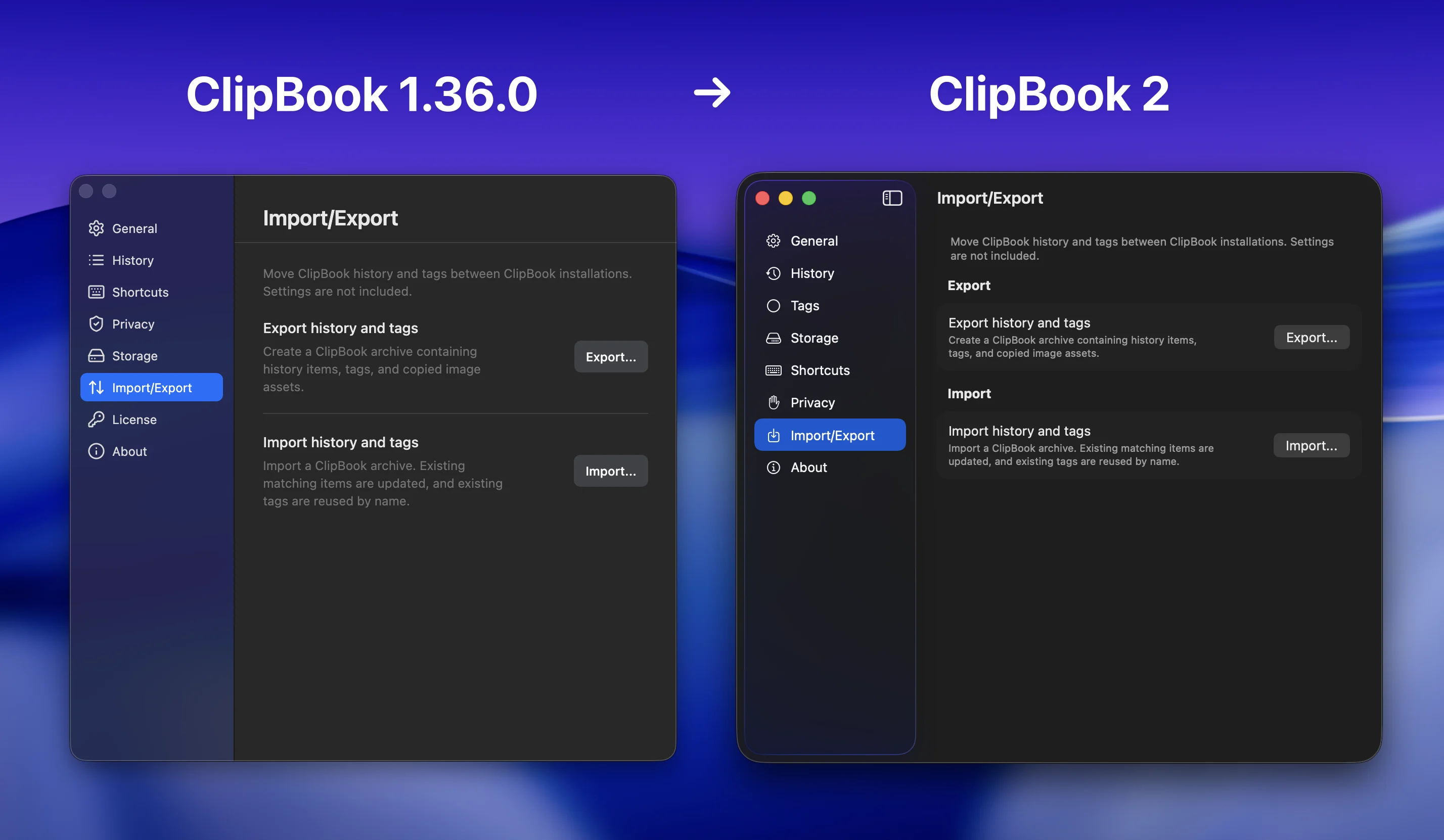
Before you download and install ClipBook 2, I recommend that you export your clipboard history from ClipBook 1 first. Make sure you have ClipBook 1.36.0 or later where the import/export feature is available. Export the clipboard history to a file. Then, you can install ClipBook 2 and import the clipboard history from the file.
Feedback
As usual, you can provide your feedback and suggestions on the Feedback page or by letting me know via one of the links on the contacts page. I’ll be happy to hear from you.
Enjoy using ClipBook 2! Never lose what you copy!
– Vladimir Ikryanov