macOS Spotlight clipboard history alternative
The clipboard history macOS Tahoe should have shipped with
The clipboard history in Spotlight forgets everything after 7 days and keeps passwords in plain text. ClipBook keeps your history as long as you want, opens where you type and lets you decide what is never recorded.
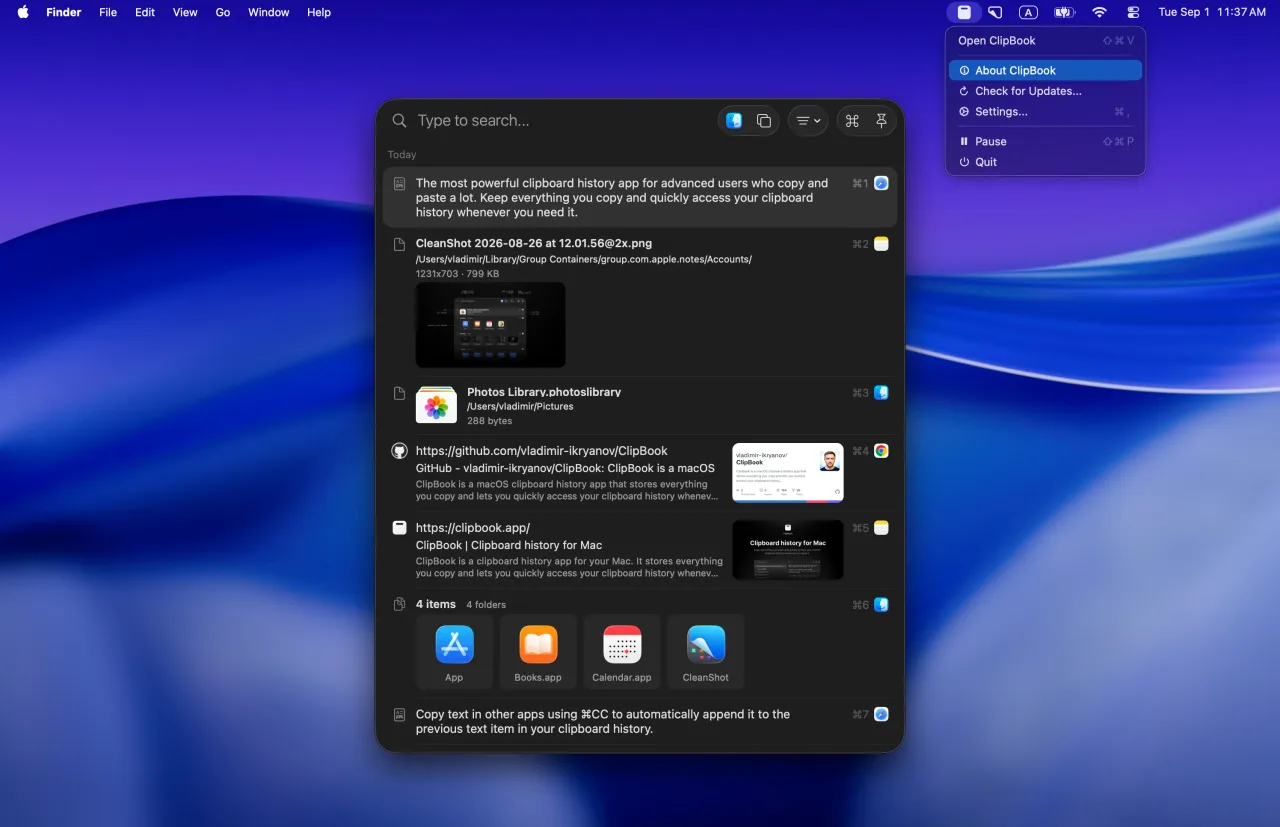
ClipBook is an incredible app with an incredible UI and I hope to use it a lot more.
Tad Jimenez
Thanks for making ClipBook! It really is amazing -- both the product and the website.
Yuvraj Sarda
I've been using your app and to be honest, it's great! Thank you very much.
Mauricio
Two philosophies
A clipboard manager vs a Spotlight tab
Both remember what you copied. Apple added a list of recent copies to Spotlight; ClipBook is an app built around working with that history.
ClipBook is a clipboard manager
Made for people who copy and paste all day and want to keep, find and reuse what they copy.
- One shortcut, opens where you type
- Keeps items for as long as you want
- Pins favorites and organizes items with tags
- Keeps rich text, images, files and colors
- Pastes straight into the app you came from
- Ignores specific apps
- Hidden during screen sharing
- Copy & merge, merge items, split text items
- 78 text transformations
macOS Tahoe has a list of recent copies
Made for people who occasionally need the thing they copied a few minutes ago.
- Two shortcuts: open Spotlight, then the Clipboard tab
- Everything expires after 7 days at most
- No pinning, favorites or tags
- Text is kept as plain text
- Copies the item, then you switch back and paste
- No list of apps to ignore
- How long items are kept
- Forever vs 7 days
- Customizable keyboard shortcuts
- 26 vs 0
- Features shipped in a year
- 35 vs 2
Side by side
ClipBook vs macOS Spotlight clipboard history
Price, privacy, history and features, as of October 2026.
| Feature | ClipBook | macOS Tahoe |
|---|---|---|
| Price | ||
| Price | $9.99 once | Free |
| Free trial | 5 days | n/a |
| Privacy | ||
| Where your history lives | Locally | Locally |
| Pause and resume | Yes | Yes |
| Ignore specific apps | Yes | No |
| Ignore specific content | Yes | No |
| Hide passwords & secrets | Yes | No |
| Hide during screen sharing | Yes | No |
| Clear history on quit | Yes | No |
| Open source | Yes | No |
| History | ||
| Works on | macOS 13+ | macOS 26+ |
| How long items are kept | Forever | 7 days max |
| History retention for item types | Yes | No |
| Survives a Mac restart | Yes | No |
| Rich text and formatting | Yes | No |
| Images | Yes | Yes |
| Text longer than 16,000 characters | Yes | No |
| Pin & favorites | Yes | No |
| Tags | Yes | No |
| Custom item name | Yes | No |
| Edit item content | Yes | No |
| Features | ||
| Search | Yes | Yes |
| Search text inside images (OCR) | Yes | No |
| Filter by type, tag and source app | Yes | No |
| Preview | Yes | No |
| Dedicated global shortcut | Yes | No |
| Paste directly into the active app | Yes | No |
| Open window at text caret | Yes | No |
| Open window at mouse cursor | Yes | No |
| Sequential paste | Yes | No |
| Multi-paste | Yes | No |
| Multi-paste with a separator | Yes | No |
| Text transformations | Yes | No |
| Copy and merge | Yes | No |
| Merge text items | Yes | No |
| Split a text item | Yes | No |
| Copy text from image | Yes | No |
| Copy text from QR code | Yes | No |
| Import & Export | Yes | No |
| Customizable shortcuts | 26 | No |
Based on Apple's documentation and the Spotlight clipboard history in macOS 26 Tahoe (26.1 and later) and macOS 27, as of October 2026. macOS and Spotlight are trademarks of Apple Inc. ClipBook is not affiliated with Apple. Spotted something outdated? Let us know.
Where ClipBook goes further
Everything the Spotlight list leaves out
The built-in history lets you search and copy recent items. ClipBook is built for keeping, finding and reusing them. Read the details in why the macOS Tahoe clipboard history isn't enough.
Keep items as long as you want
Choose how long ClipBook keeps each type of item: a day, a week, a month, a year or forever. Favorites and tagged items can stay for good.
How it works →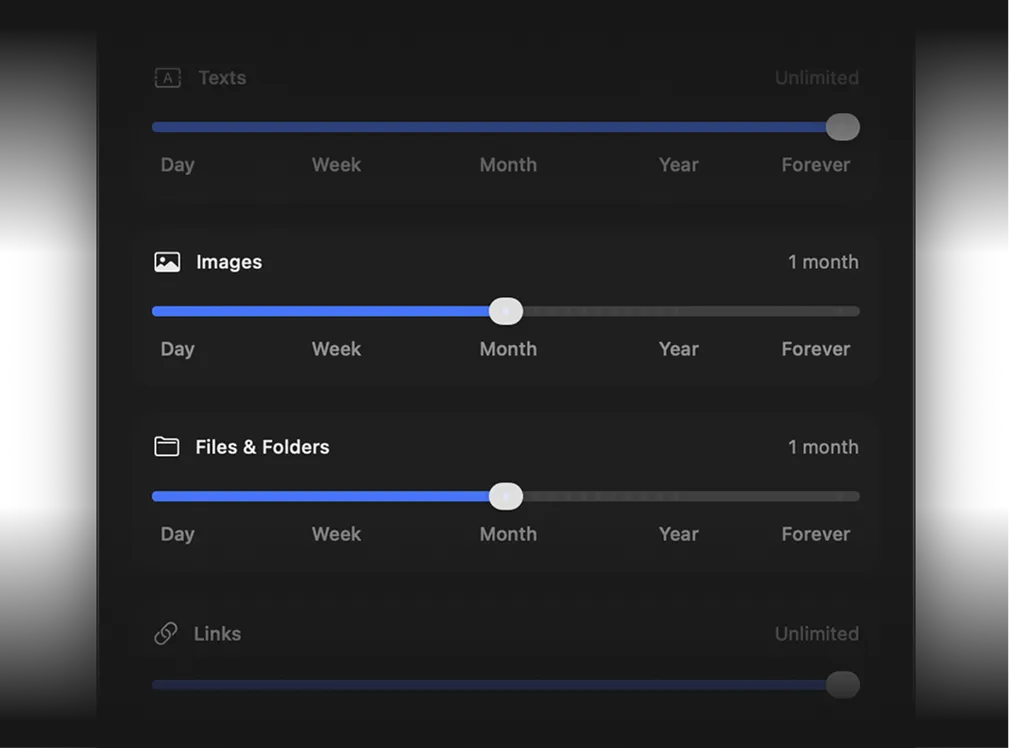
Opens right where you type
One shortcut opens ClipBook at the text caret, at the mouse pointer or in the center of the active window, and Enter pastes into the app you came from.
How it works →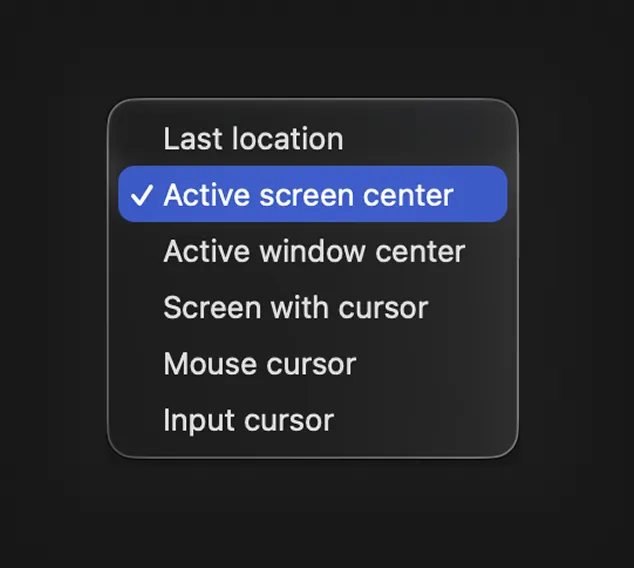
Keep passwords out of your history
Ignore your password manager and any other app, skip confidential content and mask passwords and secrets that do get copied.
How it works →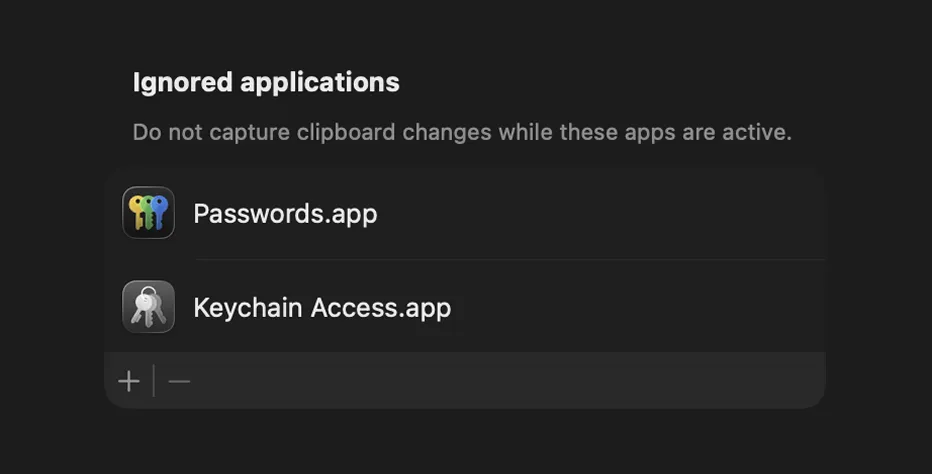
Find text inside screenshots
ClipBook reads the text in every image you copy, so you can search for it later and copy it out as plain text.
How it works →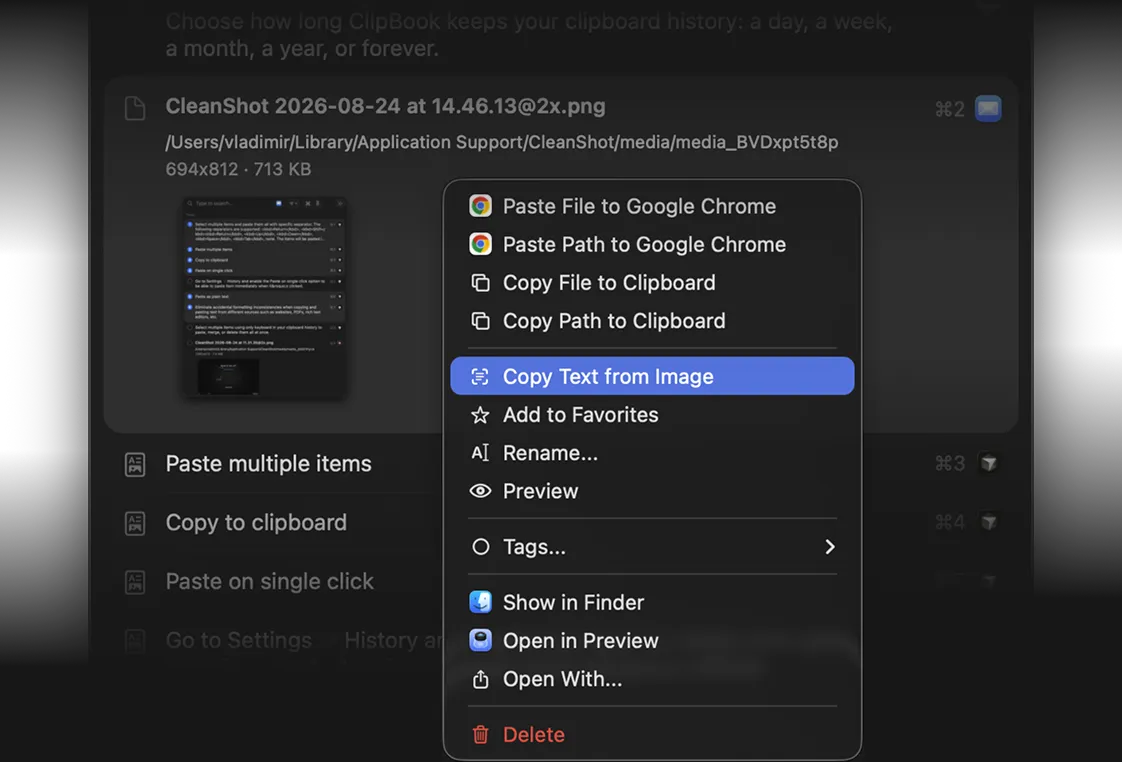
Honest take
When the built-in history is enough
ClipBook is not the right pick for everyone. If you copy a few things a day and need them within the same hour, Apple's version does the job.
Free
The Spotlight clipboard history costs nothing. ClipBook is $9.99 once after a 5-day trial.
Already installed
It is part of macOS 26 and later: nothing to download, update or grant Accessibility access to. You only switch it on.
Forgets by design
Everything is gone after 30 minutes, 8 hours or 7 days, which is a sensible default on a shared Mac.
Privacy
Passwords don't belong in a search result list
The Spotlight history skips copies from Apple's Passwords app and copies that apps mark as concealed. A password, API key or one-time code from anywhere else is stored and shown as plain text, with no list of apps to ignore and no lock in front of the panel, and it stays visible while you share or record your screen.
ClipBook lets you ignore specific apps, skip confidential content, mask passwords and secrets, hide the window during screen sharing and pause capture with a shortcut. Your history never leaves your Mac, and the source code is public so you can check for yourself.
Can I use both?
Yes, they don't interfere with each other. If you move to ClipBook, switch off Results from Clipboard at the bottom of System Settings → Spotlight, so macOS doesn't keep a second, unprotected copy of what you copy.
Pricing
One price.
Lifetime access.
One-time payment. No subscription.
Get lifetime access to ClipBook on your Mac.

- One-time payment
- 14-day money-back guarantee
- Lifetime updates
- Lifetime support
- Native macOS app
- 1 Mac device license
Secure checkout by Paddle. Taxes may apply.
FAQ
If you copy a few things a day and never need them past the same afternoon, no. If you want items kept for longer than 7 days, pinned favorites, rich text, search inside screenshots, filtering by source app, sequential paste or per-app privacy rules, the built-in history will not get you there, and a clipboard manager such as ClipBook will.
Yes, if the built-in history keeps losing things you need. ClipBook keeps your history for as long as you want, stores rich text, images, files and colors, opens with one shortcut at the text caret and pastes straight into the app you came from. It adds favorites, tags, search inside images, text transformations and privacy rules per app. It costs $9.99 once, while the Spotlight history is free and already installed.
Eight hours was the only retention period in the first release of macOS 26 Tahoe. Since macOS 26.1 you can pick 30 minutes, 8 hours or 7 days in System Settings → Spotlight. There is no "keep forever" option and no way to pin an item, so 7 days is the ceiling. ClipBook has no expiry timer unless you set one.
Yes, unless they were copied from Apple's Passwords app or the source app marks the copy as concealed. Passwords from other apps are stored and shown as plain text, and stay visible while you share or record your screen. ClipBook can ignore specific apps, hides its window during screen sharing and masks passwords and secrets in the list.
Yes. They don't interfere with each other. Most people who install ClipBook end up turning the Spotlight one off in System Settings → Spotlight, because there is no reason to keep a second, shorter copy of the same history.
Yes. ClipBook supports macOS 13 Ventura and later on both Apple Silicon and Intel Macs. The built-in clipboard history needs macOS 26 Tahoe or later; on macOS Sequoia and earlier the system keeps only the last item you copied.
No. macOS has no way to export the Spotlight clipboard history. ClipBook captures everything you copy from the moment you launch it, so copy the items you still need once and add them to favorites.
Every feature is unlocked for 5 days from the first launch. There is no credit card, no account and no sign-up. When the trial ends, your history stays on your Mac and is available again as soon as you activate a license.
With love
Get it. Try it. Buy it if you like it.
I hope you enjoy using ClipBook and it saves you a few hours each week. If you have any questions or feedback, please contact me.

Founder of ClipBook
Free download
Never lose what you copy
Keep your copy history, organize it, quickly find what you need and paste it directly to the active app.
Keyboard-first · Native app · One-time purchase · Lifetime updates