Pastebot 3 alternative
Pastebot 3 alternative with unlimited history and lifetime updates
ClipBook is a keyboard-first Pastebot alternative that keeps everything you copy, costs $9.99 once with lifetime updates and runs on macOS 13 and later, built for power Mac users who copy and paste a lot.
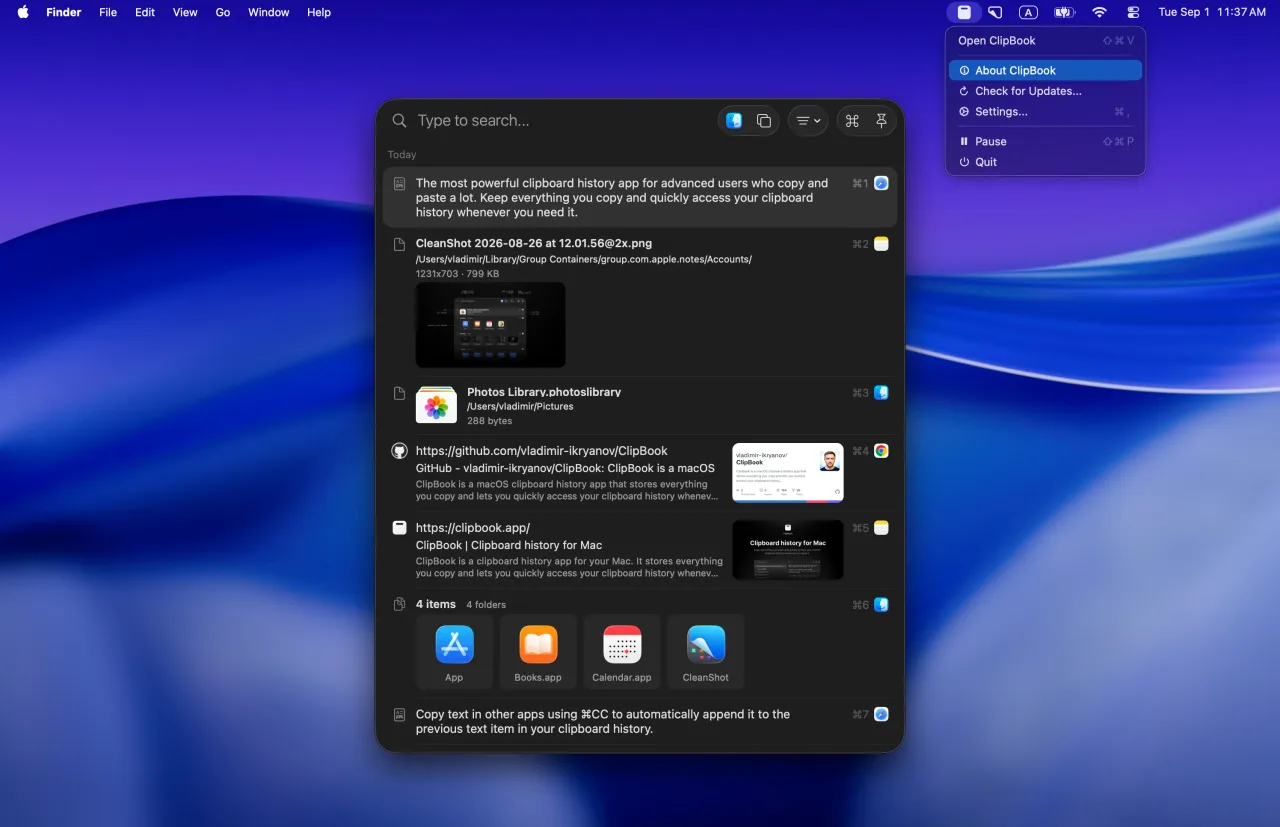
ClipBook is an incredible app with an incredible UI and I hope to use it a lot more.
Tad Jimenez
Thanks for making ClipBook! It really is amazing -- both the product and the website.
Yuvraj Sarda
I've been using your app and to be honest, it's great! Thank you very much.
Mauricio
Two philosophies
Built for different people
Both apps are keyboard-first clipboard managers made by indie developers. They differ in how much history they keep, how you pay for updates and how far they go into automation.
ClipBook is about keeping and reusing
Made for advanced users who want every copy at hand, ready to edit, combine and paste.
- Unlimited history
- Lifetime updates for a one-time $9.99
- History stored on your Mac
- Hides passwords and hides itself during screen sharing
- 78 text transformations
- Copy & merge, merge items, split text items
- Open source, runs on macOS 13 and later
Pastebot 3 is about automation
Made for users who script their workflow and want the clipboard to be part of it.
- Up to 1,500 items in history
- $39 with one year of updates, or a subscription
- History stored in iCloud
- Filters you can stack and extend with shell scripts
- Rule-based smart pastebins
- Apple Shortcuts, a command-line tool and MCP
- Requires macOS 26 Tahoe
- License price
- $9.99 vs $39
- Updates included
- Lifetime vs 1 year
- Items in history
- Unlimited vs 1,500
Side by side
ClipBook vs Pastebot 3
Prices, privacy, platforms and features, as of October 2026.
| Feature | ClipBook | Pastebot 3 |
|---|---|---|
| Price | ||
| Lifetime license | $9.99 | $39 |
| Updates included | Lifetime | 1 year |
| More updates | Free | $19 / year |
| What you pay over 3 years | $9.99 | $74.97 – $77 |
| Free trial | 5 days | 14 days |
| Money-back guarantee | 14 days | 30 days |
| Privacy | ||
| Where your history lives | Locally | Locally & iCloud |
| Ignore apps | Yes | Yes |
| Hide passwords & secrets | Yes | No |
| Hide during screen sharing | Yes | No |
| Clear history on quit | Yes | No |
| Open source | Yes | No |
| Platforms | ||
| Mac | macOS 13+ | macOS 26+ |
| iCloud Sync | No | Yes |
| Features | ||
| History size | Unlimited | 1,500 items |
| Search | Yes | Yes |
| Preview | Yes | Yes |
| Tags / pastebins | Yes | Yes |
| Rule-based smart pastebins | No | Yes |
| Notes on items | No | Yes |
| Text transformations | Yes | Yes |
| Shell script filters | No | Yes |
| Sequential paste | Yes | Yes |
| Copy and merge | Yes | No |
| Merge text items | Yes | No |
| Split a text item | Yes | No |
| Apple Shortcuts actions | No | Yes |
| Command-line tool | No | Yes |
Based on Tapbots' website and Pastebot 3 launch coverage as of October 2026. Prices in USD before tax. Pastebot is a trademark of Tapbots, LLC. ClipBook is not affiliated with it. Spotted something outdated? Let us know.
Where ClipBook goes further
Built for people who paste a lot of text
Pastebot focuses on automating the clipboard. ClipBook focuses on keeping all of it and making it fast to reuse.
Keep everything you copy
No 1,500-item cap. Choose how long ClipBook keeps each type of item: a day, a week, a month, a year or forever.
How it works →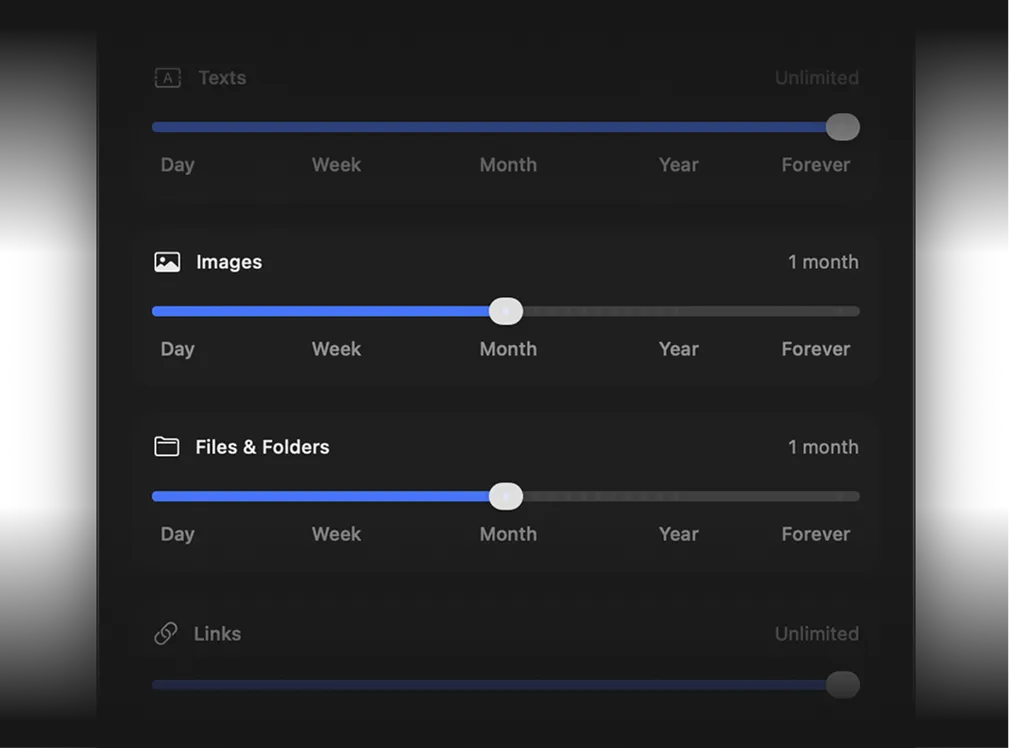
Copy and merge
Copy several snippets one after another and ClipBook joins them into a single item, so you paste once instead of five times.
How it works →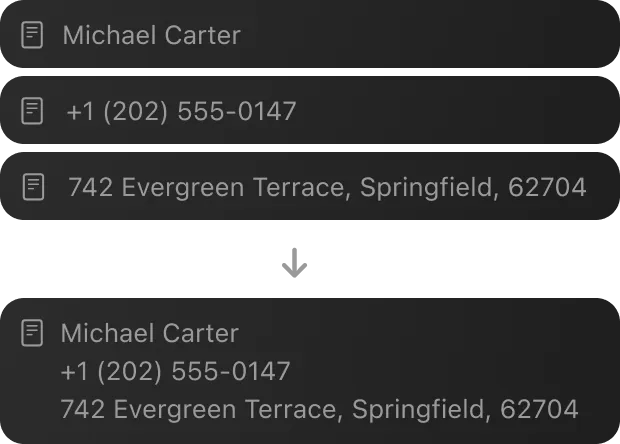
Split and merge items
Split a long text item into separate items by line or by a separator, or merge the items you select into one.
How it works →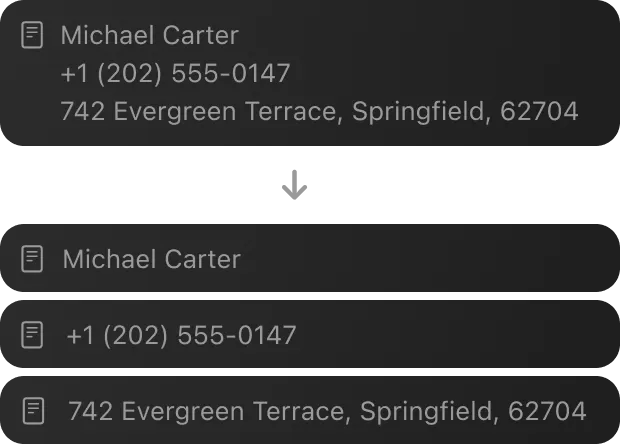
Hide passwords and secrets
Passwords, API keys and tokens that end up in your history are masked in the list, so they are not on show when someone looks at your screen.
How it works →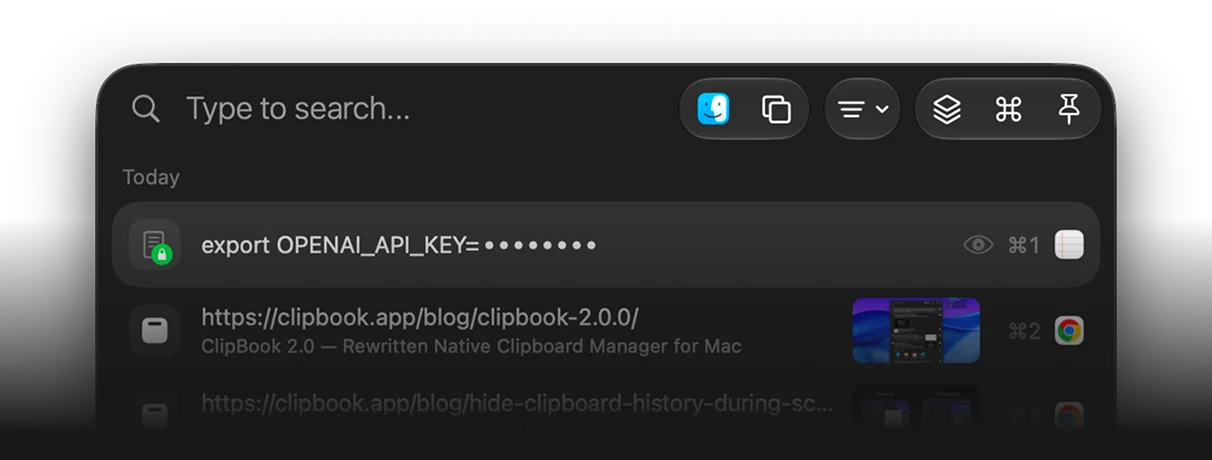
Honest take
Where Pastebot is better
ClipBook is not the right pick for everyone. Pastebot does a few things ClipBook does not.
Automation
Pastebot comes with Apple Shortcuts actions, a command-line tool and MCP support, so scripts and AI assistants can read and create clippings.
Scriptable filters
Pastebot filters can be stacked, given shortcuts and extended with shell scripts, and smart pastebins sort clippings by rules, including regex.
iCloud sync
Pastebot syncs clippings, pastebins and filters between your Macs through iCloud. ClipBook keeps everything on one Mac.
Privacy
No cloud, no account, no analytics
Pastebot can sync your clippings through your private iCloud so they follow you between Macs. ClipBook takes the opposite trade: your history is written only to your Mac and never leaves it.
There are no user accounts, no built-in analytics and no tracking, and the source code is public so you can check for yourself.
Why doesn't ClipBook have iCloud sync?
Sync would mean putting your clipboard, which regularly contains passwords, tokens, addresses and private messages, into a cloud database. ClipBook is built around the promise that this data never leaves your Mac, and that promise is easier to verify when there is simply no code path that uploads anything.
Pricing
One price.
Lifetime access.
One-time payment. No subscription.
Get lifetime access to ClipBook on your Mac.

- One-time payment
- 14-day money-back guarantee
- Lifetime updates
- Lifetime support
- Native macOS app
- 1 Mac device license
Secure checkout by Paddle. Taxes may apply.
FAQ
Yes, if you want a clipboard manager that keeps everything you copy and costs $9.99 once with lifetime updates. ClipBook has no history limit, runs on macOS 13 and later, keeps your history only on your Mac and adds copy and merge, merging and splitting of items and privacy features such as hiding passwords and hiding the window during screen sharing. If you rely on shell script filters, Apple Shortcuts, a command-line tool or iCloud sync between Macs, Pastebot is the better fit.
As of October 2026, Pastebot 3 costs $39 from Tapbots with one year of updates, and every further year of updates is $19. You keep the last version you paid for. On the App Store it is a subscription at $24.99 per year or $2.99 per month. ClipBook costs $9.99 once for one Mac, $14.99 for two Macs and $29.99 for five Macs, with all future updates included.
Pastebot 3 requires macOS 26 Tahoe or later. ClipBook supports macOS 13 Ventura and later on both Apple Silicon and Intel Macs, so it also runs on Macs that can't or won't upgrade to Tahoe.
Pastebot 3 keeps up to 1,500 clippings in its history; items you save to a custom pastebin are kept separately. ClipBook has no limit on the number of items and lets you add favorites and tags to the ones you use most.
No. ClipBook stores your clipboard history only on your Mac, with no iCloud sync. This is a deliberate privacy decision: your clipboard never leaves your Mac. Pastebot can sync clippings, pastebins and filters between Macs through iCloud.
Not directly. ClipBook can't read Pastebot's database. The practical approach is to copy the clippings you rely on once while ClipBook is running and add them to favorites. ClipBook captures everything you copy from the moment you launch it.
No. ClipBook is a one-time purchase. You pay once, get a license key and receive every future update for free. There is also a 14-day money-back guarantee. See the pricing page for the one, two and five-Mac licenses.
Every feature is unlocked for 5 days from the first launch. There is no credit card, no account and no sign-up. When the trial ends, your history stays on your Mac and is available again as soon as you activate a license.
With love
Get it. Try it. Buy it if you like it.
I hope you enjoy using ClipBook and it saves you a few hours each week. If you have any questions or feedback, please contact me.

Founder of ClipBook
Free download
Never lose what you copy
Keep your copy history, organize it, quickly find what you need and paste it directly to the active app.
Keyboard-first · Native app · One-time purchase · Lifetime updates