PastePal alternative
PastePal alternative that is keyboard-first and keeps your clipboard on your Mac
ClipBook is a keyboard-first PastePal alternative with more features, stores your history only on your Mac, and built for power Mac users who copy and paste a lot.
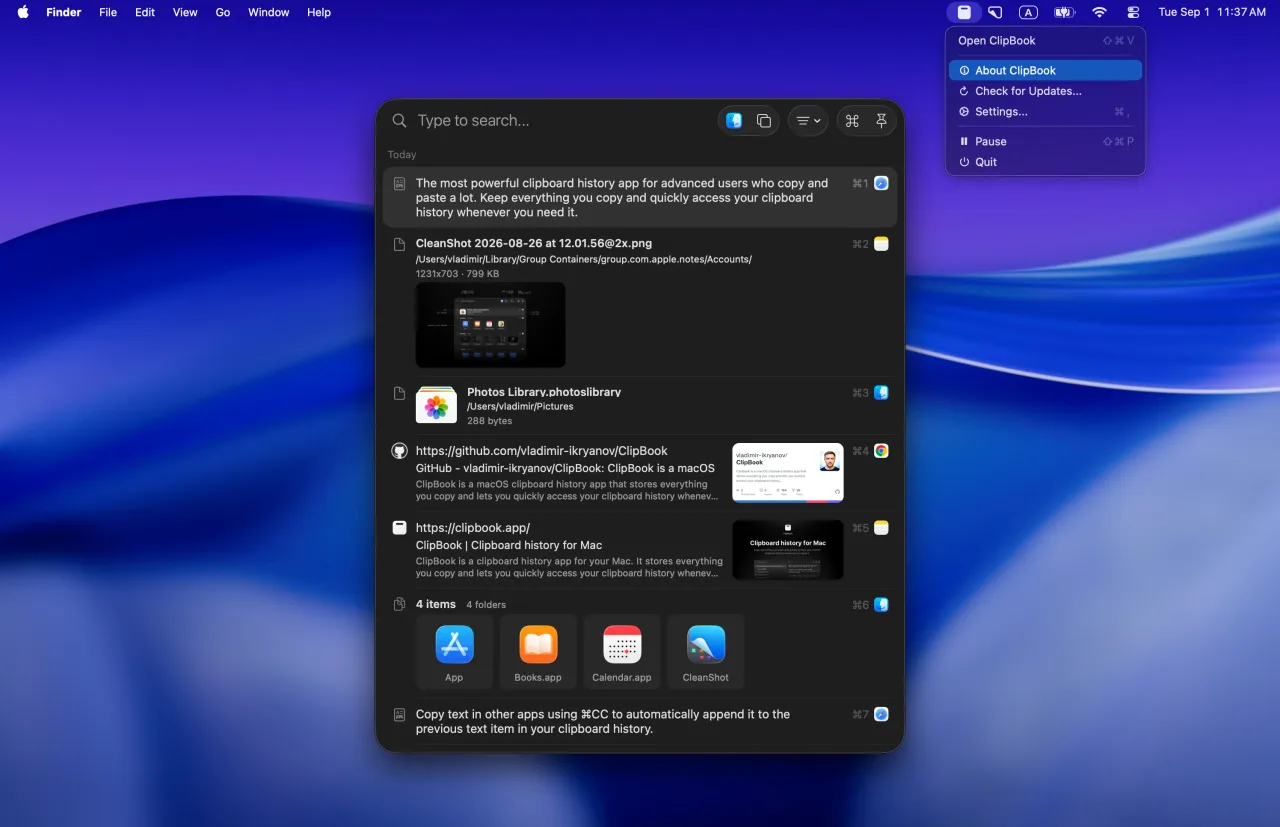
ClipBook is an incredible app with an incredible UI and I hope to use it a lot more.
Tad Jimenez
Thanks for making ClipBook! It really is amazing -- both the product and the website.
Yuvraj Sarda
I've been using your app and to be honest, it's great! Thank you very much.
Mauricio
Two philosophies
Built for different people
Both apps keep an unlimited clipboard history for a one-time price. They differ in where that history lives and how you work with it.
ClipBook is about your Mac
Made for advanced users who work on a Mac, live on the keyboard and want their clipboard to stay there.
- Keyboard-first
- Compact list, 20+ items on screen at once
- History stored only on your Mac, no cloud
- Customize 26+ keyboard shortcuts
- Sequential pasting without showing any windows
- Copy & merge, merge items, split text items
- Clears history on quit or Mac restart
PastePal is about all your Apple devices
Made for users who want the same clipboard history on their Mac, iPhone and iPad.
- Universal app for Mac, iPhone and iPad
- Large visual cards, 5 items on screen at once
- History is sent to iCloud
- Customize 9 keyboard shortcuts
- A separate Queue window for sequential pasting
- Lifetime price
- $9.99 vs $14.99
- Customizable keyboard shortcuts
- 26 vs 11
- Features shipped in a year
- 35 vs 29
Side by side
ClipBook vs PastePal
Prices, privacy, platforms and features, as of October 2026.
| Feature | ClipBook | PastePal |
|---|---|---|
| Price | ||
| Lifetime license | $9.99 | $14.99 |
| Lifetime updates | Yes | Yes |
| Free trial | 5 days | 3 days |
| Money-back guarantee | 14 days | App Store rules |
| Privacy | ||
| Where your history lives | Locally | Locally & iCloud |
| Ignore apps & sensitive content | Yes | Yes |
| Ignore specific content | Yes | Yes |
| Hide during screen sharing | Yes | Yes |
| Hide passwords & secrets | Yes | No |
| Clear history on quit | Yes | No |
| Open source | Yes | No |
| Platforms | ||
| Mac | macOS 13+ | macOS 14+ |
| iPhone and iPad | No | Yes |
| iCloud Sync | No | Yes |
| Features | ||
| Unlimited history | Yes | Yes |
| Search text inside images (OCR) | Yes | Yes |
| Custom item name | Yes | Yes |
| Pause and resume | Yes | Yes |
| Preview | Yes | Yes |
| Tags / collections | Yes | Yes |
| Paste without formatting | Yes | Yes |
| Sequential paste | Yes | Yes |
| Multi-paste | Yes | Yes |
| Multi-paste with a separator | Yes | Yes |
| Text transformations | Yes | Yes |
| Copy text from image | Yes | Yes |
| Copy text from QR code | Yes | Yes |
| Import & Export | Yes | Yes |
| Open window at mouse cursor | Yes | Yes |
| Open window at text caret | Yes | Yes |
| Open window at last location | Yes | No |
| Copy and merge | Yes | No |
| Merge text items | Yes | No |
| Split a text item | Yes | No |
| Customizable shortcuts | 26 | 11 |
Based on public pricing pages, help docs and App Store listings as of October 2026. Prices in USD before tax. PastePal is a trademark of its owner. ClipBook is not affiliated with it. Spotted something outdated? Let us know.
Where ClipBook goes further
Built for people who paste a lot of text
PastePal focuses on bringing one clipboard to every Apple device. ClipBook focuses on the efficiency of working with the clipboard history on your Mac.
Copy and merge
Copy several snippets one after another and ClipBook joins them into a single item, so you paste once instead of five times.
How it works →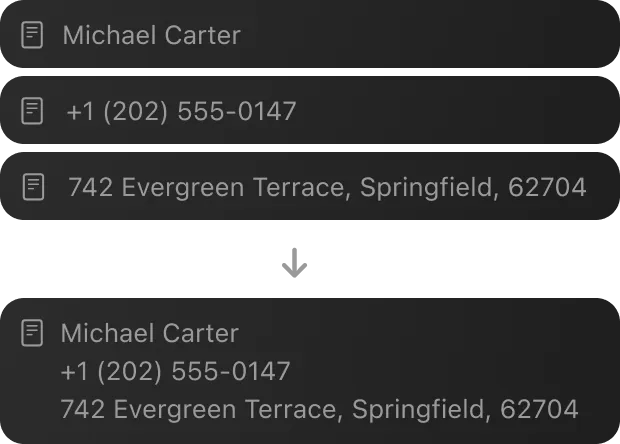
Split and merge items
Split a long text item into separate items by line or by a separator, or merge the items you select into one.
How it works →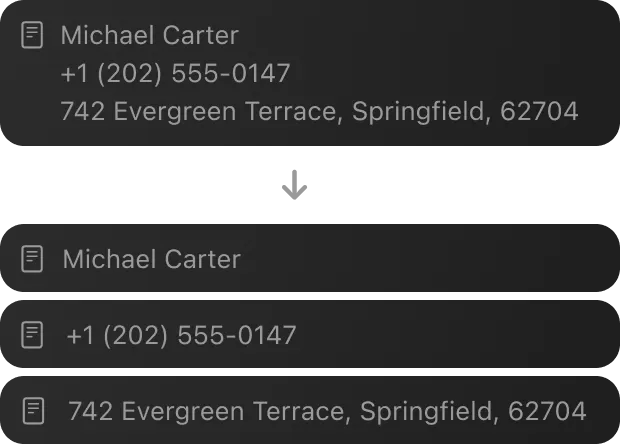
A shortcut for every action
Customize 26 keyboard shortcuts, from pasting and previewing to tagging, renaming and deleting. PastePal lets you change 9.
How it works →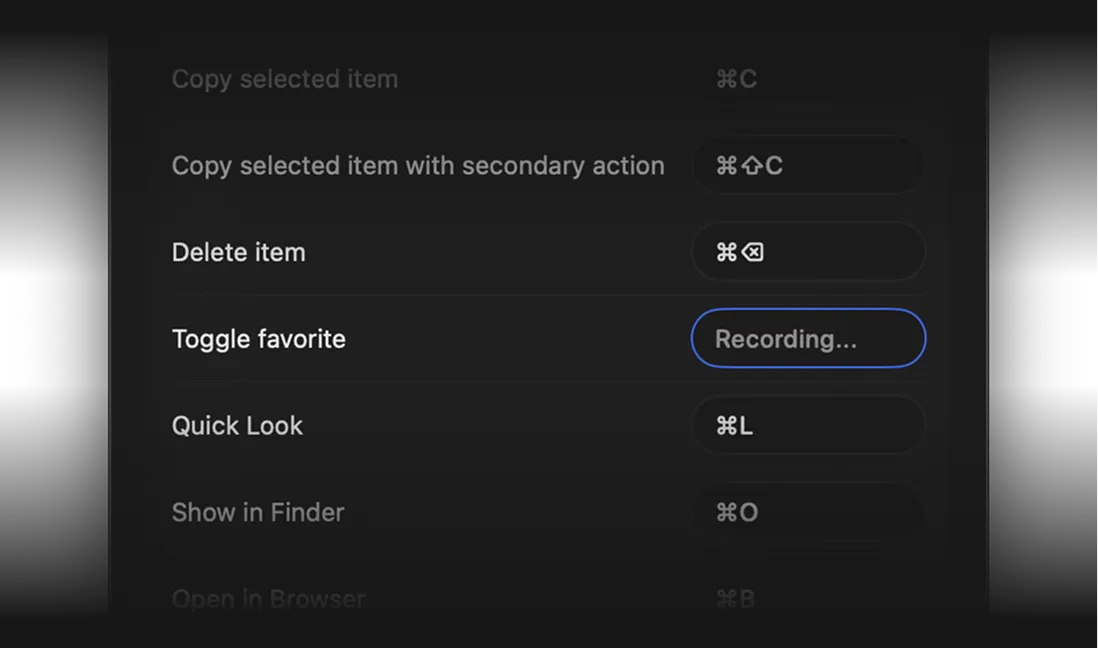
Opens right where you type
ClipBook can open at the text caret, at the mouse pointer, at its last location or in the center of the active window or screen.
How it works →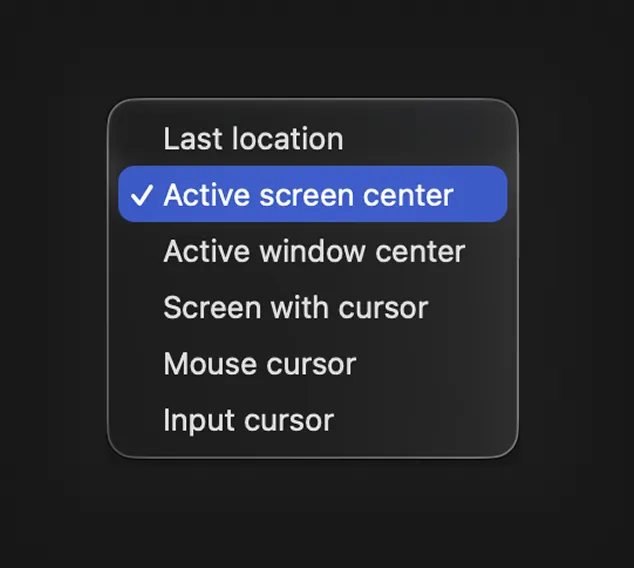
Honest take
Where PastePal is better
ClipBook is not the right pick for everyone. PastePal does a few things ClipBook does not.
iPhone & iPad
PastePal has native iPhone and iPad apps with a custom keyboard, and one purchase unlocks all of them. ClipBook is Mac-only.
iCloud sync
PastePal syncs your history between Macs, iPhones and iPads through iCloud, and can share clips with nearby devices.
Scripting & screen capture
PastePal lets you write your own text transforms in JavaScript and capture text from any region of the screen.
Privacy
No cloud, no account, no analytics
PastePal keeps your clipboard in a local database and, with sync turned on, in your private iCloud so it can follow you across devices. ClipBook takes the opposite trade: your history is written only to your Mac and never leaves it.
There are no user accounts, no built-in analytics and no tracking, and the source code is public so you can check for yourself.
Why doesn't ClipBook have iCloud sync?
Sync would mean putting your clipboard, which regularly contains passwords, tokens, addresses and private messages, into a cloud database. ClipBook is built around the promise that this data never leaves your Mac, and that promise is easier to verify when there is simply no code path that uploads anything.
Pricing
One price.
Lifetime access.
One-time payment. No subscription.
Get lifetime access to ClipBook on your Mac.

- One-time payment
- 14-day money-back guarantee
- Lifetime updates
- Lifetime support
- Native macOS app
- 1 Mac device license
Secure checkout by Paddle. Taxes may apply.
FAQ
Yes, if you use your clipboard history on a Mac and want it to stay there. ClipBook keeps unlimited history, searches text inside images, pastes directly into the active app and adds copy and merge, merging and splitting of items and 26 customizable shortcuts. It is open source and a one-time purchase of $9.99 with lifetime updates. If you need an iPhone or iPad app or iCloud sync, PastePal is the better fit.
As of October 2026, PastePal is a one-time purchase of $14.99 that covers Mac, iPhone and iPad on the App Store, or the Mac only as a standalone license. ClipBook costs $9.99 once for one Mac, $14.99 for two Macs and $29.99 for five Macs. Neither app is a subscription and both include future updates.
PastePal is free to download and keeps tracking your history in free mode, but unlimited pasting, iCloud sync, transforms and text capture need the $14.99 upgrade. It has a 3-day trial of the premium features. ClipBook has no free mode: every feature is unlocked for 5 days, and after that you need a license.
No. ClipBook is a Mac-only app and stores your clipboard history locally. There is no iCloud sync and no iPhone or iPad app. This is a deliberate privacy decision: your clipboard never leaves your Mac. PastePal offers both iCloud sync and mobile apps.
PastePal is a closed-source app. ClipBook's source code is public on GitHub, so anyone can check how it stores and handles clipboard data. See how to access the source code.
Not directly. PastePal exports clips as CSV, which ClipBook can't import. The practical approach is to copy the snippets you rely on once while ClipBook is running and add them to favorites. ClipBook captures everything you copy from the moment you launch it.
ClipBook supports macOS 13 Ventura and later on both Apple Silicon and Intel Macs. The current App Store version of PastePal requires macOS 14 or later.
Every feature is unlocked for 5 days from the first launch. There is no credit card, no account and no sign-up. When the trial ends, your history stays on your Mac and is available again as soon as you activate a license.
With love
Get it. Try it. Buy it if you like it.
I hope you enjoy using ClipBook and it saves you a few hours each week. If you have any questions or feedback, please contact me.

Founder of ClipBook

Free download
Never lose what you copy
Keep your copy history, organize it, quickly find what you need and paste it directly to the active app.
Keyboard-first · Native app · One-time purchase · Lifetime updates